 Serendipity
7d332d3b8c
Serendipity
7d332d3b8c
- 新增图片处理工具模块 `src/utils/image.ts`,包含图片引用提取、绝对路径解析和路径替换功能
- 新增图片上传服务 `src/service/image-uploader.ts`,支持调用 Halo 媒体 API 上传图片并实现缓存机制
- 在设置界面添加图片上传开关和上传路径配置项
- 更新发布流程,在提交到 Halo 前自动检测并上传本地图片,替换为远程 URL
- 添加英文、简体中文和繁体中文的国际化文案
- 更新插件版本至 1.1.1 并完善相关配置文件
2.0 KiB
2.0 KiB
Obsidian plugin for Halo
This plugin allows you to publish your Obsidian documents to Halo.
Preview


Usage
- Search for "Halo" in Obsidian's community plugins browser.
- Click Install.
- Go to Settings -> Community Plugins -> Halo and configure the settings.
- Create a new site:
-
Site name: the name of the site, optional.
-
Site URL: the URL of the site, e.g.
https://example.com. -
Personal access token: The personal access token of your Halo site, needs
Post Managepermission.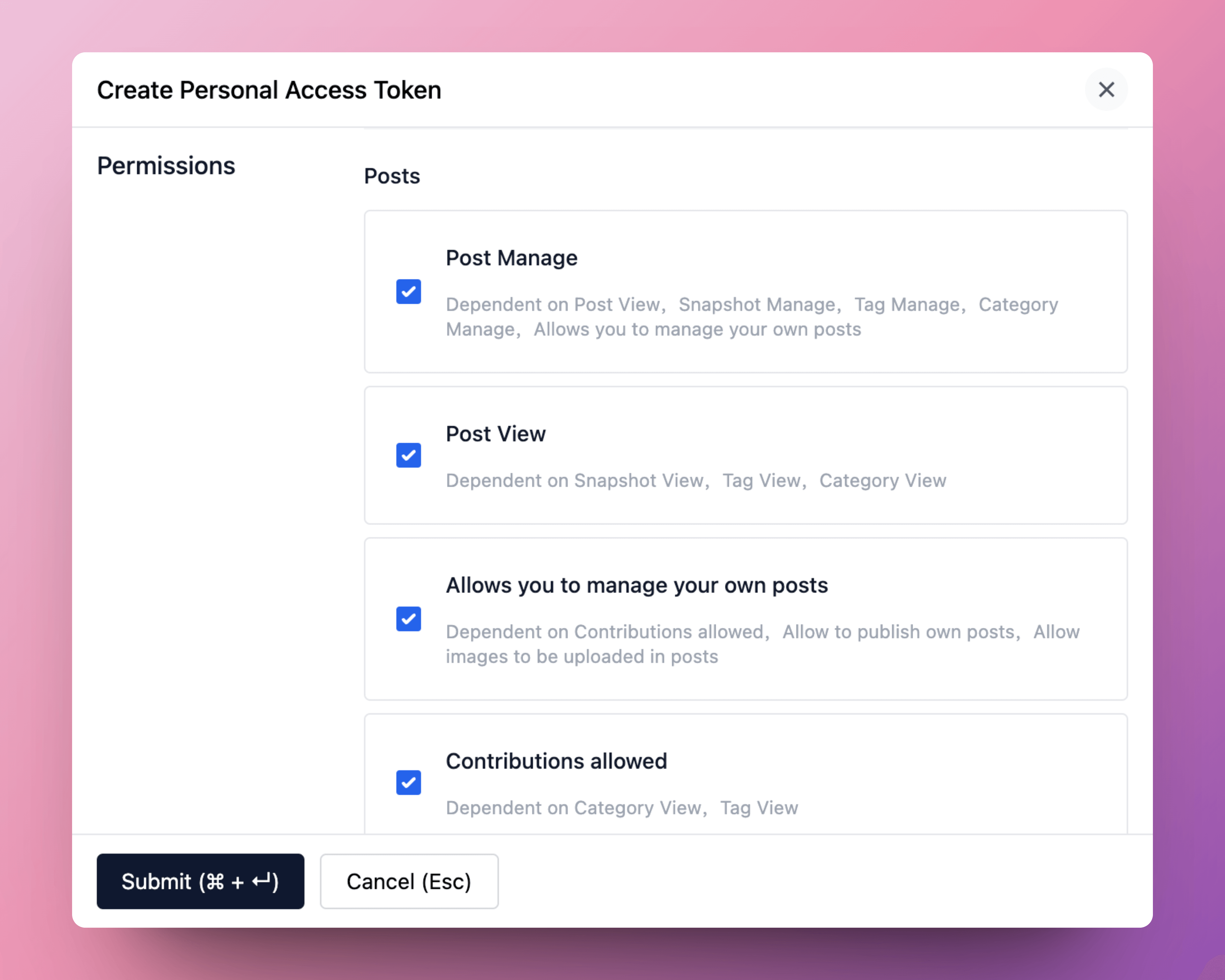
More information about personal access token: Personal Access Token
-
Set as default: set the site as the default site.
-
- Open a note you want to publish, and run the command
Halo: Publish to Halo. - All available commands:
- Halo: Publish to Halo: publish the current note to Halo.
- Halo: Publish to Halo (use default settings): publish the current note to the default site.
- Halo: Pull posts from Halo: pull posts from Halo to Obsidian.
- Halo: Update content from Halo: update the content of the current note from Halo.

Development
-
Create a new Obisidian vault for development.
-
Clone this repo to the plugins folder of the newly created vault.
cd path/to/vault/.obsidian/plugins git clone https://github.com/ruibaby/obsidian-halo -
Install dependencies
cd obsidian-halo npm install -
Build the plugin
npm run dev -
Reload Obsidian and enable the plugin in Settings.
Credits
- obsidian-wordpress: the original idea came from this repo.
TODO
- i18n
- Upload images
- Publish this plugin to Obsidian community