 Serendipity
9b4530555f
Serendipity
9b4530555f
- 创建同步状态面板视图,显示已发布文章列表和快速操作按钮
- 添加同步历史弹窗,记录和展示同步操作记录
- 在侧边栏添加同步图标,支持快速打开面板
- 更新国际化文件,添加中英文同步相关文案
- 编写详细的使用指南文档,说明所有功能使用方法
- 更新插件主程序,注册新命令和视图
Obsidian plugin for Halo
This plugin allows you to publish your Obsidian documents to Halo.
Preview


Usage
- Search for "Halo" in Obsidian's community plugins browser.
- Click Install.
- Go to Settings -> Community Plugins -> Halo and configure the settings.
- Create a new site:
-
Site name: the name of the site, optional.
-
Site URL: the URL of the site, e.g.
https://example.com. -
Personal access token: The personal access token of your Halo site, needs
Post Managepermission.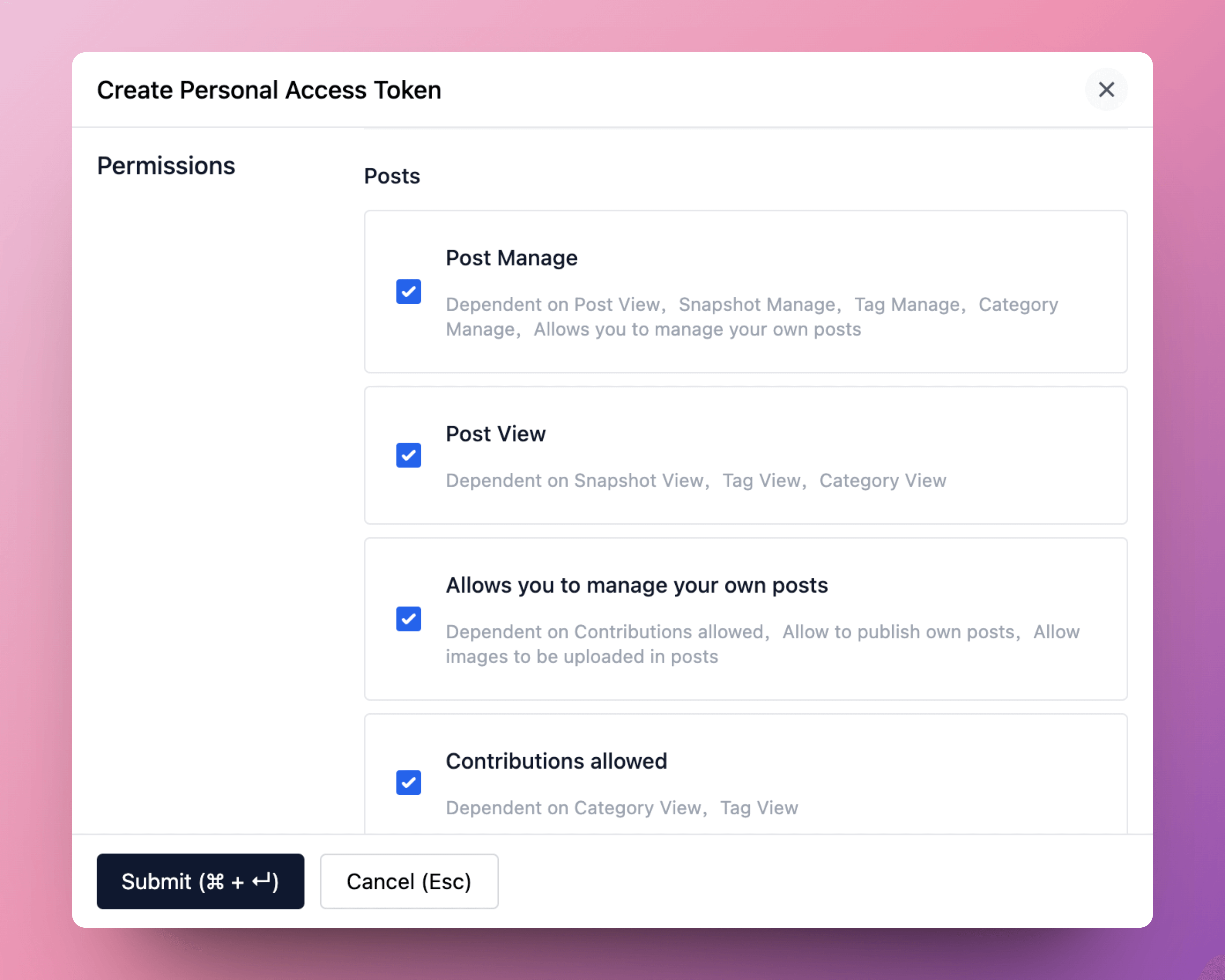
More information about personal access token: Personal Access Token
-
Set as default: set the site as the default site.
-
- Open a note you want to publish, and run the command
Halo: Publish to Halo. - All available commands:
- Halo: Publish to Halo: publish the current note to Halo.
- Halo: Publish to Halo (use default settings): publish the current note to the default site.
- Halo: Pull posts from Halo: pull posts from Halo to Obsidian.
- Halo: Update content from Halo: update the content of the current note from Halo.

Development
-
Create a new Obisidian vault for development.
-
Clone this repo to the plugins folder of the newly created vault.
cd path/to/vault/.obsidian/plugins git clone https://github.com/ruibaby/obsidian-halo -
Install dependencies
cd obsidian-halo npm install -
Build the plugin
npm run dev -
Reload Obsidian and enable the plugin in Settings.
Credits
- obsidian-wordpress: the original idea came from this repo.
TODO
- i18n
- Upload images
- Publish this plugin to Obsidian community