 Serendipity
3fd29c824a
Serendipity
3fd29c824a
- Updated styles.css to implement a three-layer design token architecture: Primitive, Semantic, and Component.
- Introduced new CSS variables for colors, spacing, typography, and shadows.
- Developed styles for buttons, cards, inputs, textareas, selects, badges, tables, modals, forms, color pickers, empty states, and loading spinners.
- Improved sync status view with responsive design and enhanced UI elements.
- Added skeleton loading animations for better user experience.

chore: Add configuration files for development environment

- Created .claude/settings.json to enable commit commands plugin.
- Added .vscode/c_cpp_properties.json for C/C++ IntelliSense configuration.
- Introduced .vscode/launch.json for debugging C/C++ applications with GDB.
Obsidian plugin for Halo
This plugin allows you to publish your Obsidian documents to Halo.
Preview


Usage
- Search for "Halo" in Obsidian's community plugins browser.
- Click Install.
- Go to Settings -> Community Plugins -> Halo and configure the settings.
- Create a new site:
-
Site name: the name of the site, optional.
-
Site URL: the URL of the site, e.g.
https://example.com. -
Personal access token: The personal access token of your Halo site, needs
Post Managepermission.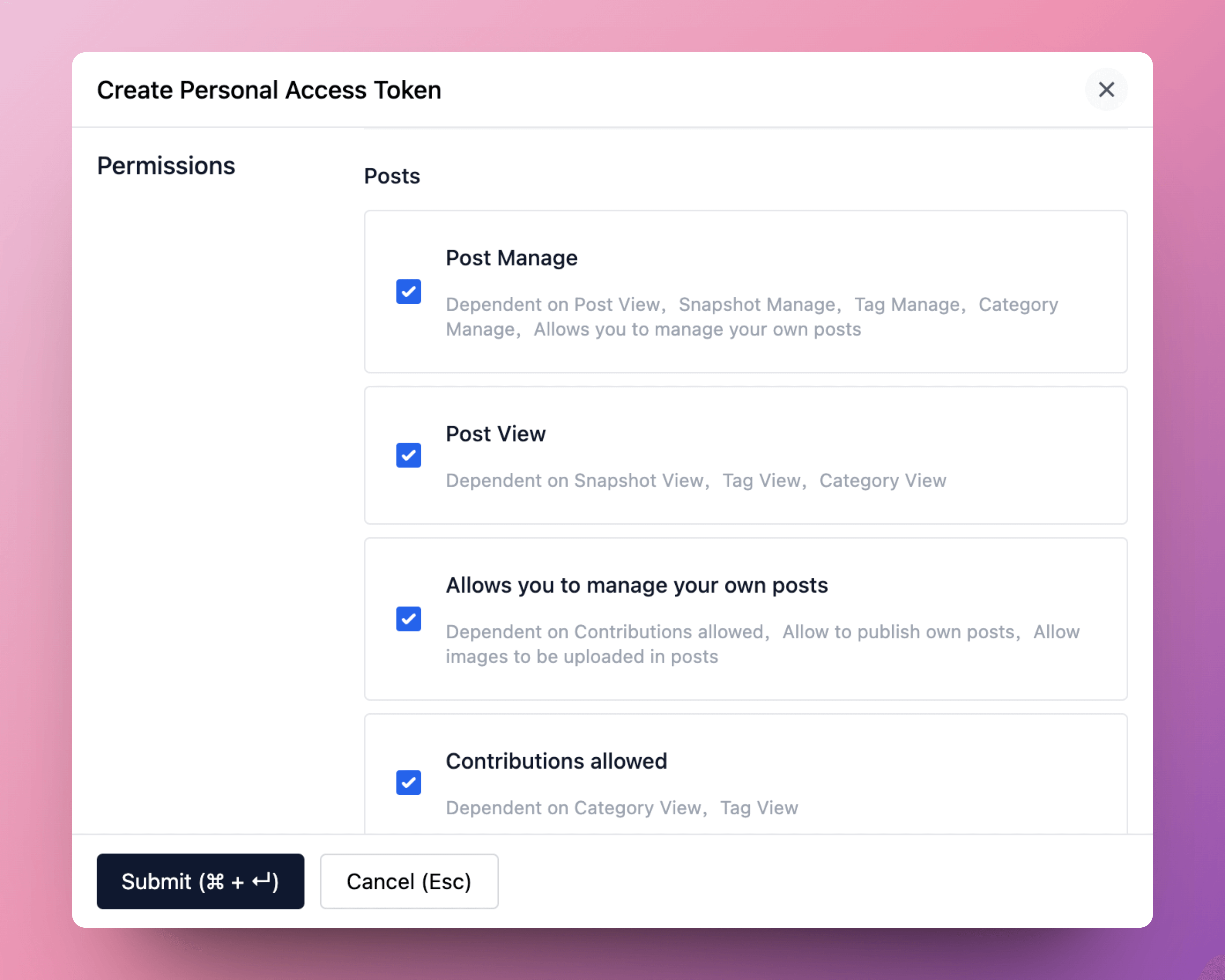
More information about personal access token: Personal Access Token
-
Set as default: set the site as the default site.
-
- Open a note you want to publish, and run the command
Halo: Publish to Halo. - All available commands:
- Halo: Publish to Halo: publish the current note to Halo.
- Halo: Publish to Halo (use default settings): publish the current note to the default site.
- Halo: Pull posts from Halo: pull posts from Halo to Obsidian.
- Halo: Update content from Halo: update the content of the current note from Halo.

Development
-
Create a new Obisidian vault for development.
-
Clone this repo to the plugins folder of the newly created vault.
cd path/to/vault/.obsidian/plugins git clone https://github.com/ruibaby/obsidian-halo -
Install dependencies
cd obsidian-halo npm install -
Build the plugin
npm run dev -
Reload Obsidian and enable the plugin in Settings.
Credits
- obsidian-wordpress: the original idea came from this repo.
TODO
- i18n
- Upload images
- Publish this plugin to Obsidian community