 Serendipity
5c4a16dc3a
Serendipity
5c4a16dc3a
添加从本地 Markdown 文件导入创建文章的功能,支持文件预览和自动发布选项
新增文章删除命令,支持选择性删除 Halo 文章或本地文件
添加标签和分类管理功能,支持创建、编辑和删除操作
更新国际化文案,支持新功能的多种语言界面
扩展服务层以支持文章导入、删除和标签分类管理 API 调用
更新插件版本至 2.1.1 并更新作者信息
Obsidian plugin for Halo
This plugin allows you to publish your Obsidian documents to Halo.
Preview


Usage
- Search for "Halo" in Obsidian's community plugins browser.
- Click Install.
- Go to Settings -> Community Plugins -> Halo and configure the settings.
- Create a new site:
-
Site name: the name of the site, optional.
-
Site URL: the URL of the site, e.g.
https://example.com. -
Personal access token: The personal access token of your Halo site, needs
Post Managepermission.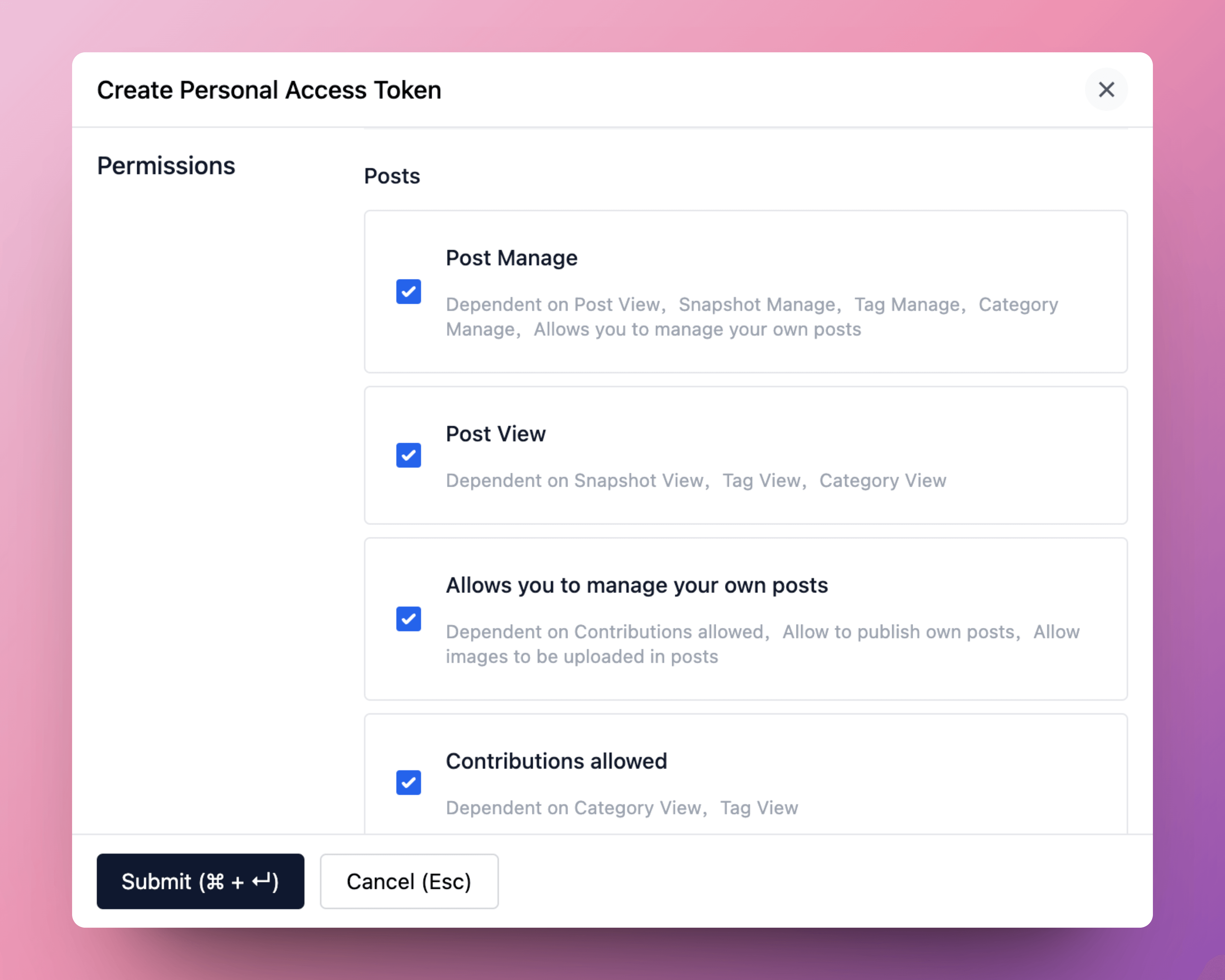
More information about personal access token: Personal Access Token
-
Set as default: set the site as the default site.
-
- Open a note you want to publish, and run the command
Halo: Publish to Halo. - All available commands:
- Halo: Publish to Halo: publish the current note to Halo.
- Halo: Publish to Halo (use default settings): publish the current note to the default site.
- Halo: Pull posts from Halo: pull posts from Halo to Obsidian.
- Halo: Update content from Halo: update the content of the current note from Halo.

Development
-
Create a new Obisidian vault for development.
-
Clone this repo to the plugins folder of the newly created vault.
cd path/to/vault/.obsidian/plugins git clone https://github.com/ruibaby/obsidian-halo -
Install dependencies
cd obsidian-halo npm install -
Build the plugin
npm run dev -
Reload Obsidian and enable the plugin in Settings.
Credits
- obsidian-wordpress: the original idea came from this repo.
TODO
- i18n
- Upload images
- Publish this plugin to Obsidian community